
Download Mp3Hub – Free Online Video & Audio Downloader, Fast & Secure
Overview
Mp3Hub is a free, web‑based multimedia downloader that lets you save videos and audio tracks from the most popular video‑hosting platforms without installing any software. By simply copying a URL into the search box, Mp3Hub processes the link and provides instant download options in high‑definition MP4 or high‑quality MP3 formats. The service was built with a focus on speed, security, and ease of use, offering a completely asynchronous download experience that works across desktop browsers, tablets, and smartphones that support CSS3, HTML5, and JavaScript.
Whether you need to preserve a YouTube tutorial, archive a news clip from Vimeo, or back up a favorite song from SoundCloud, Mp3Hub delivers a reliable solution that respects the original media quality while keeping the workflow completely registration‑free. The platform also includes a lightweight editing module, allowing you to trim unwanted sections before saving the file. Because everything runs in the cloud, the tool remains independent of your operating system, making it a versatile choice for Windows, macOS, Android, and iOS users alike.
In an era where digital content can disappear due to copyright takedowns or domain expirations, Mp3Hub provides a safety net for creators, researchers, and casual viewers who want to keep a personal copy of important media for offline access.
Core Features & Editing Tools
- Universal URL Support: Accepts links from YouTube, Facebook, Instagram, Twitter, Vimeo, Dailymotion, SoundCloud, and thousands of other sites.
- Multiple Output Formats: Choose between MP4 video (up to 1080p) and MP3 audio, with automatic bitrate optimization.
- High‑Definition Extraction: Preserves original resolution and encoding rate, ensuring crisp visuals and clear sound.
- Built‑in Trimmer: Select start and end points to download only the segment you need, saving storage and time.
- No Registration or Installation: Operates entirely in the browser; no plugins, extensions, or accounts required.
- Unlimited Downloads: No daily quota or length restrictions – download short clips or full‑length movies without limits.
- Cross‑Device Compatibility: Works on any modern browser on Windows, macOS, Linux, Android, and iOS devices.
- Secure Processing: All downloads are handled over HTTPS, protecting your data from interception.
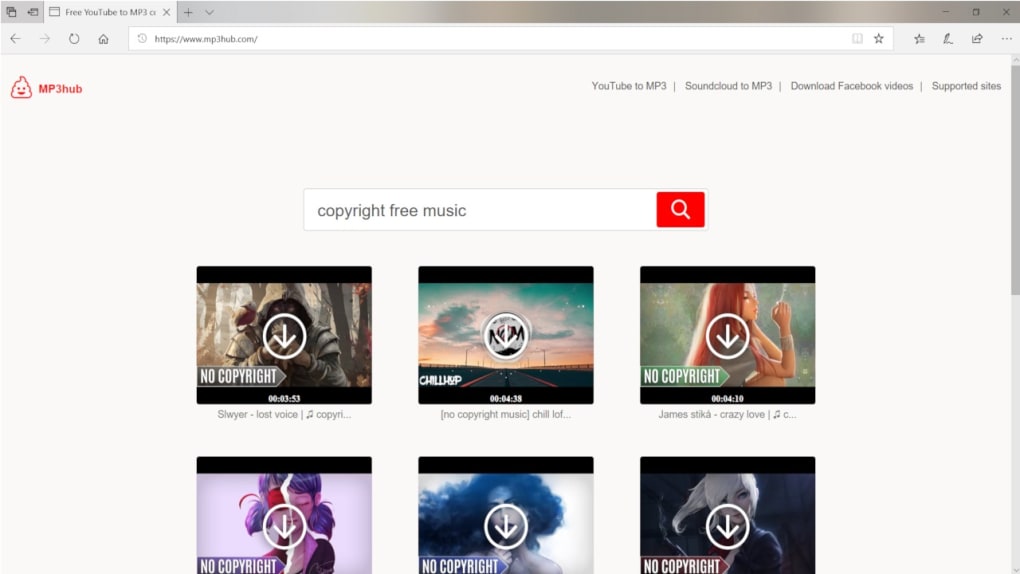
- Search Engine Integration: Type a keyword or phrase to let Mp3Hub locate related media without a direct URL.
The combination of these features makes Mp3Hub a powerful, yet approachable tool for anyone who needs a quick and reliable way to archive online media. Whether you are a student gathering reference videos, a marketer repurposing content, or simply a music enthusiast building an offline playlist, the platform’s flexibility adapts to your workflow without demanding technical expertise.
Installation, Usage & Compatibility
Because Mp3Hub is a cloud‑based web application, there is no traditional installation process. All you need is a stable internet connection and a modern web browser that supports HTML5, CSS3, and JavaScript. Follow these simple steps to start downloading:
- Open your preferred browser (Chrome, Firefox, Edge, Safari, or Opera) on any device.
- Navigate to the Mp3Hub homepage (https://mp3hub.com).
- Copy the URL of the video or audio you wish to download.
- Paste the URL into the central input field. For YouTube links, add the word “LOL” after the video ID (e.g.,
https://www.youtube.com/watch?v=abcd1234LOL) to trigger the special parser. - Click the Search button. Mp3Hub will analyze the link and present download options.
- Select the desired format (MP4 or MP3) and resolution/bitrate, then press Download.
- If you need only a portion of the media, use the built‑in editor to set start and end times before confirming the download.
The service is fully compatible with Windows 10/11, macOS 12 Monterey and later, Linux distributions, Android 9 and up, and iOS 14 or newer. Because the processing happens on Mp3Hub’s servers, your local device’s hardware specifications have minimal impact on performance – the only requirement is a browser that can render the interface and handle the HTTPS download stream.
Security is built into each step: all data transfers occur over encrypted HTTPS, and the application never stores your personal information or the URLs you submit. Once a file is downloaded, it resides solely on your device, giving you full control over its use.
Pros, Cons & User Feedback
Pros
- Completely free with no hidden fees.
- No registration, installation, or browser extensions required.
- Supports a wide range of video and audio platforms.
- High‑definition output retains original quality.
- Unlimited download length and quantity.
- Integrated trimming tool for precise segment extraction.
- Secure HTTPS connection protects user privacy.
Cons
- Reliant on an active internet connection for every download.
- Occasional latency on heavily trafficked sites due to server load.
- Some premium platforms (e.g., subscription‑only streams) may be unsupported.
- Advanced editing features are limited to basic trimming.
Overall user sentiment on tech forums and review sites rates Mp3Hub between 4.2 and 4.6 stars out of 5. Users appreciate the “no‑install” convenience and the ability to download both video and audio from a single interface. Complaints typically focus on occasional timeout errors when processing very large files, but the development team frequently releases performance patches to address these issues.
FAQ & Conclusion
Is Mp3Hub really free or are there hidden charges?
Yes, Mp3Hub is completely free. There are no subscription fees, no pay‑per‑download charges, and no hidden costs. All features, including the trimming tool, are available without registration.
Can I use Mp3Hub on my mobile phone?
Absolutely. As long as your phone’s browser supports HTML5 and JavaScript (most modern browsers do), you can download videos and audio directly to Android or iOS devices.
What formats does Mp3Hub support for download?
Mp3Hub offers MP4 for video and MP3 for audio. You can also choose the resolution (up to 1080p) and bitrate that best fits your storage or quality needs.
Is there a limit on how many files I can download per day?
No. Mp3Hub imposes no daily quota, download limits, or duration caps. You can download short clips or full‑length movies as many times as you like.
How does Mp3Hub ensure my privacy and security?
All communications are encrypted with HTTPS, and the service does not store any personal data or the URLs you submit. Your downloads are saved locally on your device only.
In summary, Mp3Hub stands out as a fast, secure, and truly free solution for downloading and trimming online videos and audio. Its browser‑based architecture eliminates the hassle of installations, while its extensive platform support ensures you can capture almost any media you encounter on the web. Ready to preserve your favorite content? Visit Mp3Hub today, paste a link, and start downloading in seconds!



.png)



